Code to UI
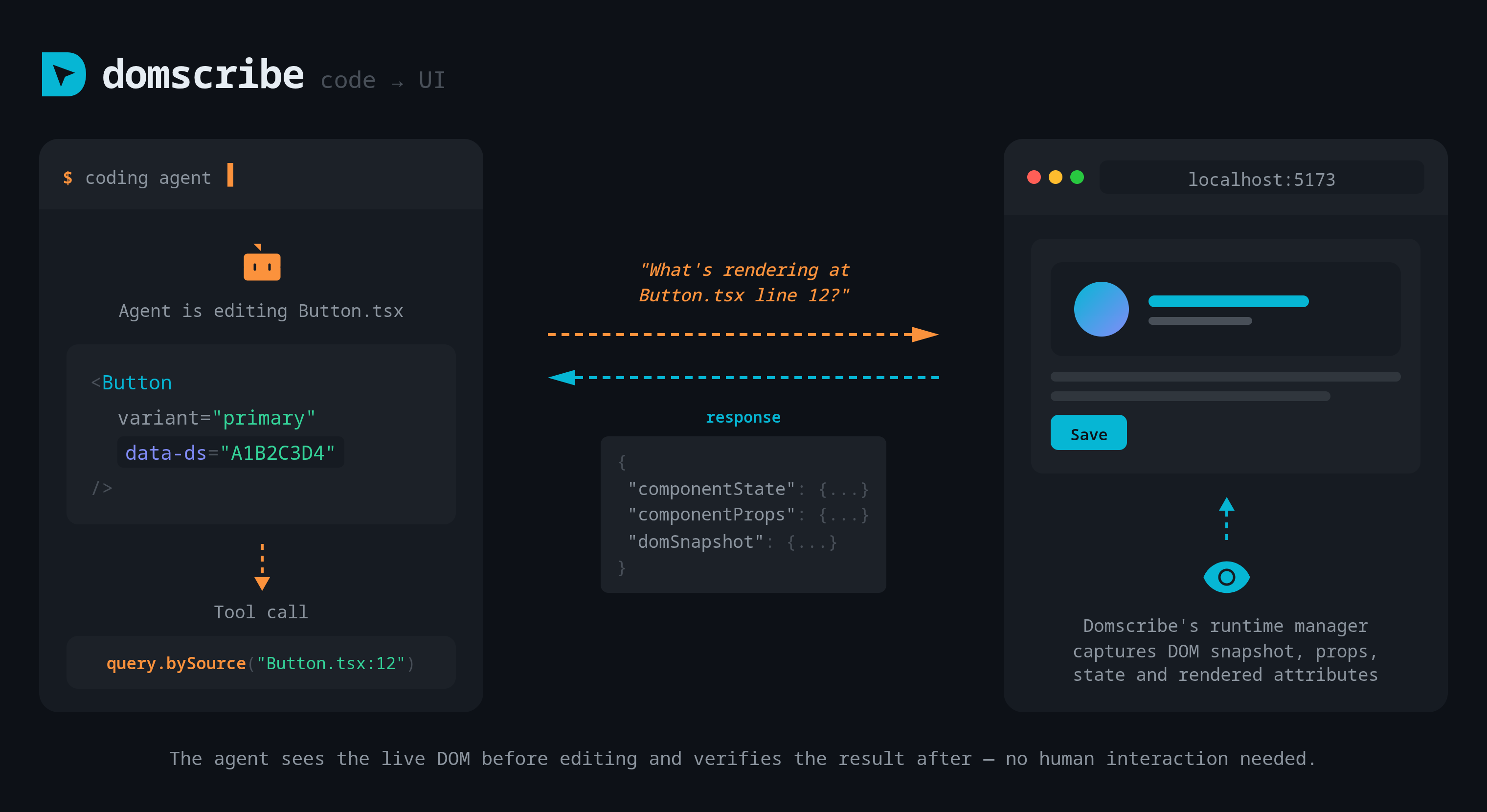
Code to UI lets your coding agent see what any source location looks like in the running browser. The agent queries by file path and line number and gets back live runtime context -- no human interaction needed.
How It Works
- Your agent calls
domscribe.query.bySourcewith a source file path and line number. - The MCP server looks up the
data-dselement ID from the manifest (.domscribe/manifest.jsonl), which maps source locations to DOM elements. - The relay broadcasts a context request to the browser over WebSocket.
- The Domscribe runtime in the browser finds the matching DOM element, walks the React fiber tree or Vue VNode tree, and captures the live context.
- The response is sent back to the agent with:
- DOM snapshot -- the rendered HTML of the element and its children
- Current props -- the component's current prop values
- Component state -- the component's current state (React
useState/useReducer, Vue reactive state) - Rendered attributes -- CSS classes, inline styles,
data-*attributes, and other DOM attributes
Prerequisites
- Your dev server must be running with the Domscribe bundler plugin configured.
- The target page must be open in the browser so the runtime can capture context.
- The Domscribe relay must be active (it starts automatically with the dev server).
Prompting Your Agent
Agents do not spontaneously query runtime state. You need to prompt them explicitly. For example:
- "Fix the button color -- use domscribe to check what CSS classes it has before changing anything."
- "The sidebar is not showing. Use domscribe to query the Sidebar component and see what props it is receiving."
- "Before refactoring the Card component, use domscribe to see how it renders in the browser right now."
The more specific you are about wanting the agent to check the live UI, the more likely it is to call domscribe.query.bySource before making changes.
MCP Tool Reference
domscribe.query.bySource
| Parameter | Type | Description |
|---|---|---|
filePath | string | Absolute or project-relative path to the source file |
line | number | Line number in the source file |
The tool returns the live DOM snapshot, props, state, and rendered attributes for the element at that source location. If no matching element is found in the browser, the tool returns the manifest entry without runtime context.
Related
- UI to Code -- the reverse direction: click an element to tell the agent what to change
- Overlay and Picker -- the in-browser UI for selecting elements
- Real-time Feedback -- how WebSocket events power live updates